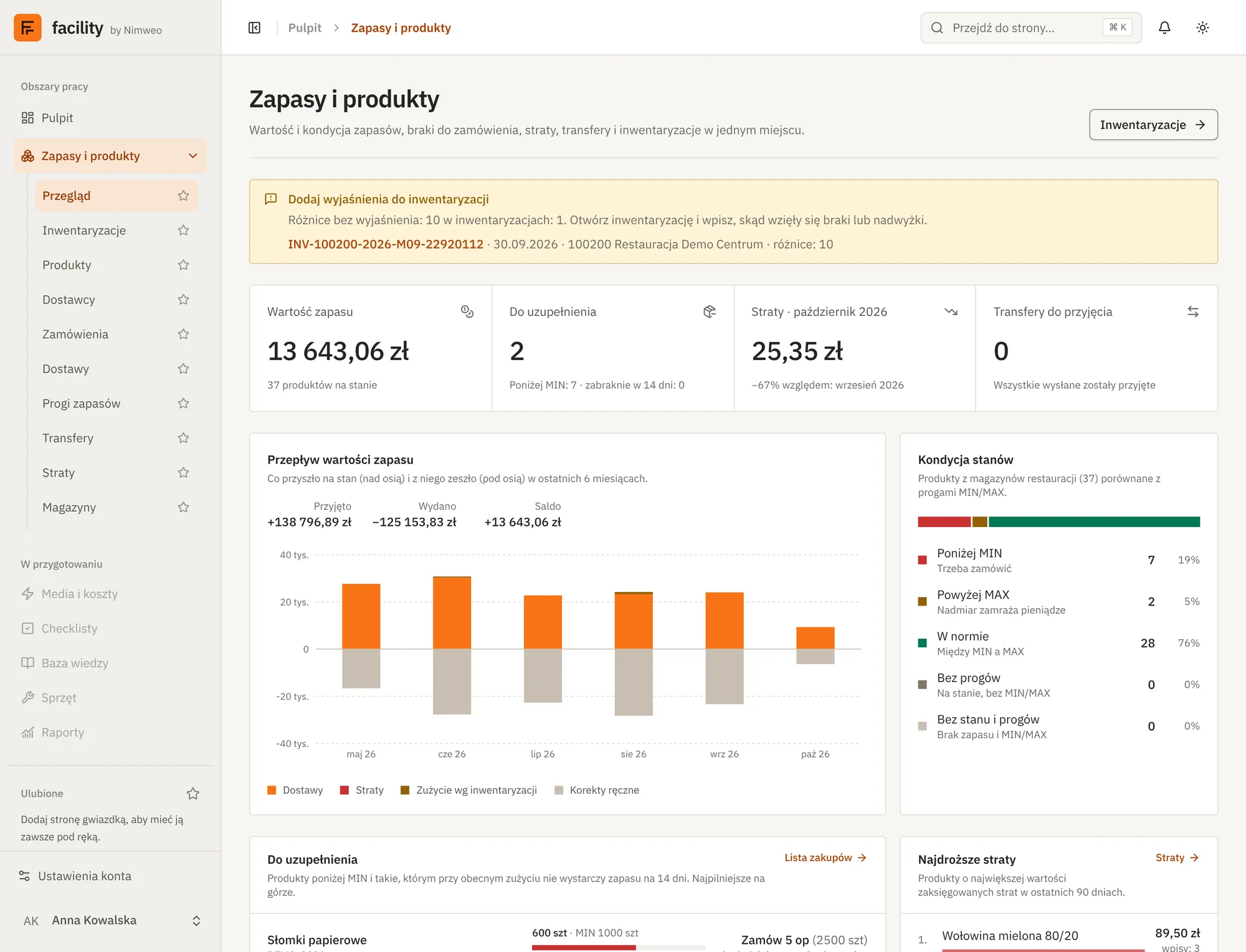
- views in the Stock and products module
- 10views in the Stock and products module
- more areas in preparation
- 5more areas in preparation
- sign-in with a Microsoft account or e-mail
- Entra IDsign-in with a Microsoft account or e-mail
Screenshots come from the working application and show demonstration data. The application interface is in Polish for now.
Count, compare, post.
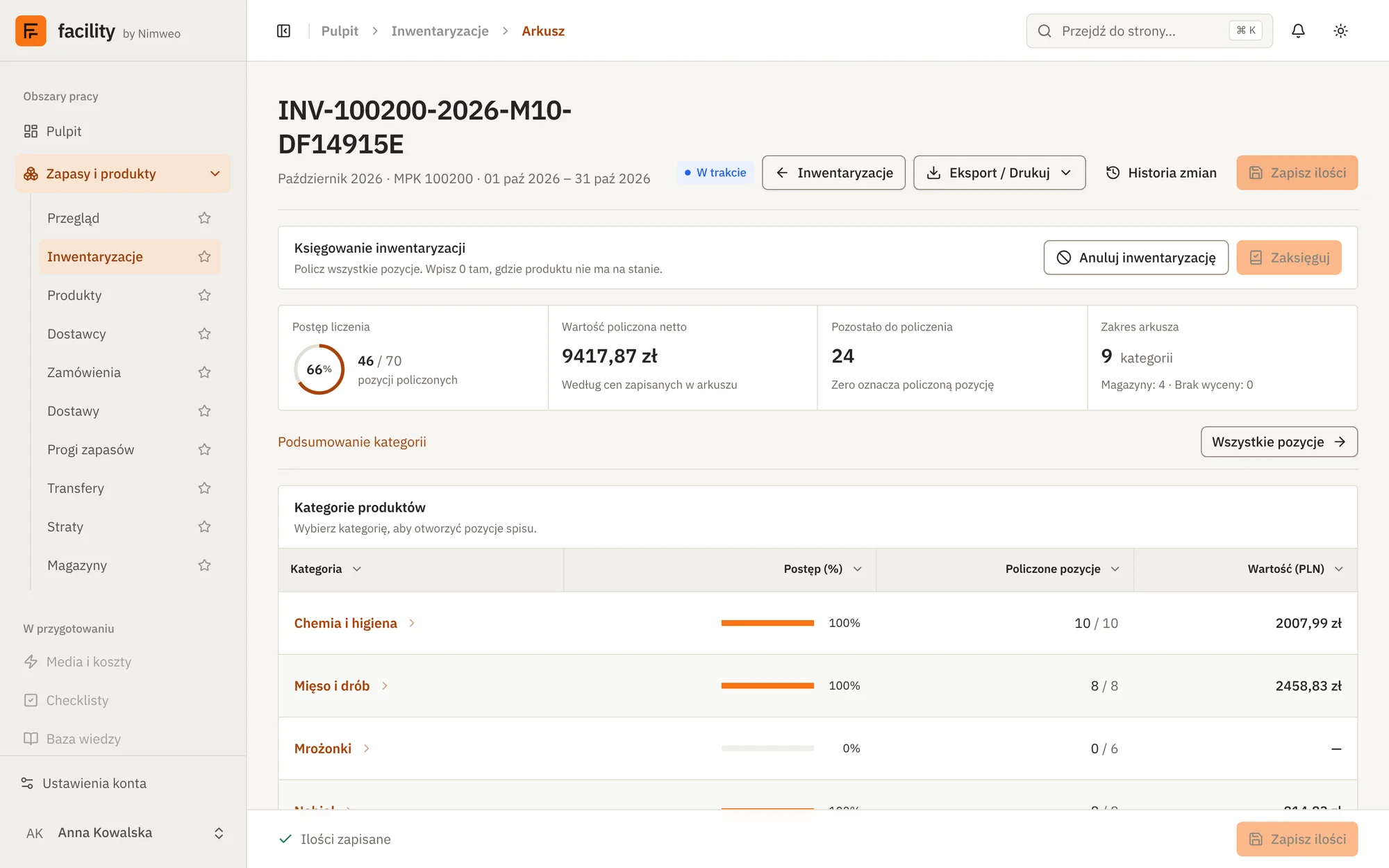
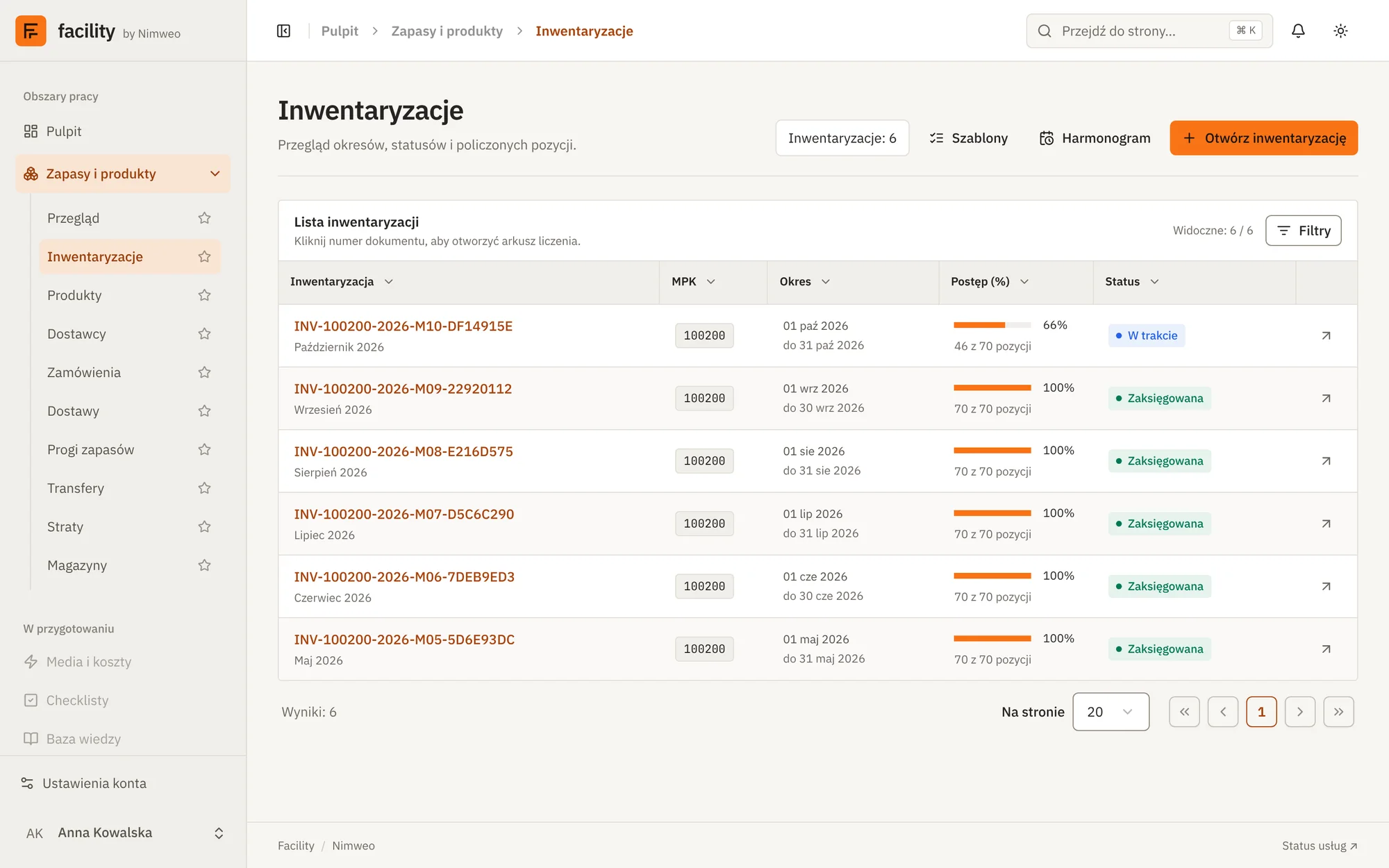
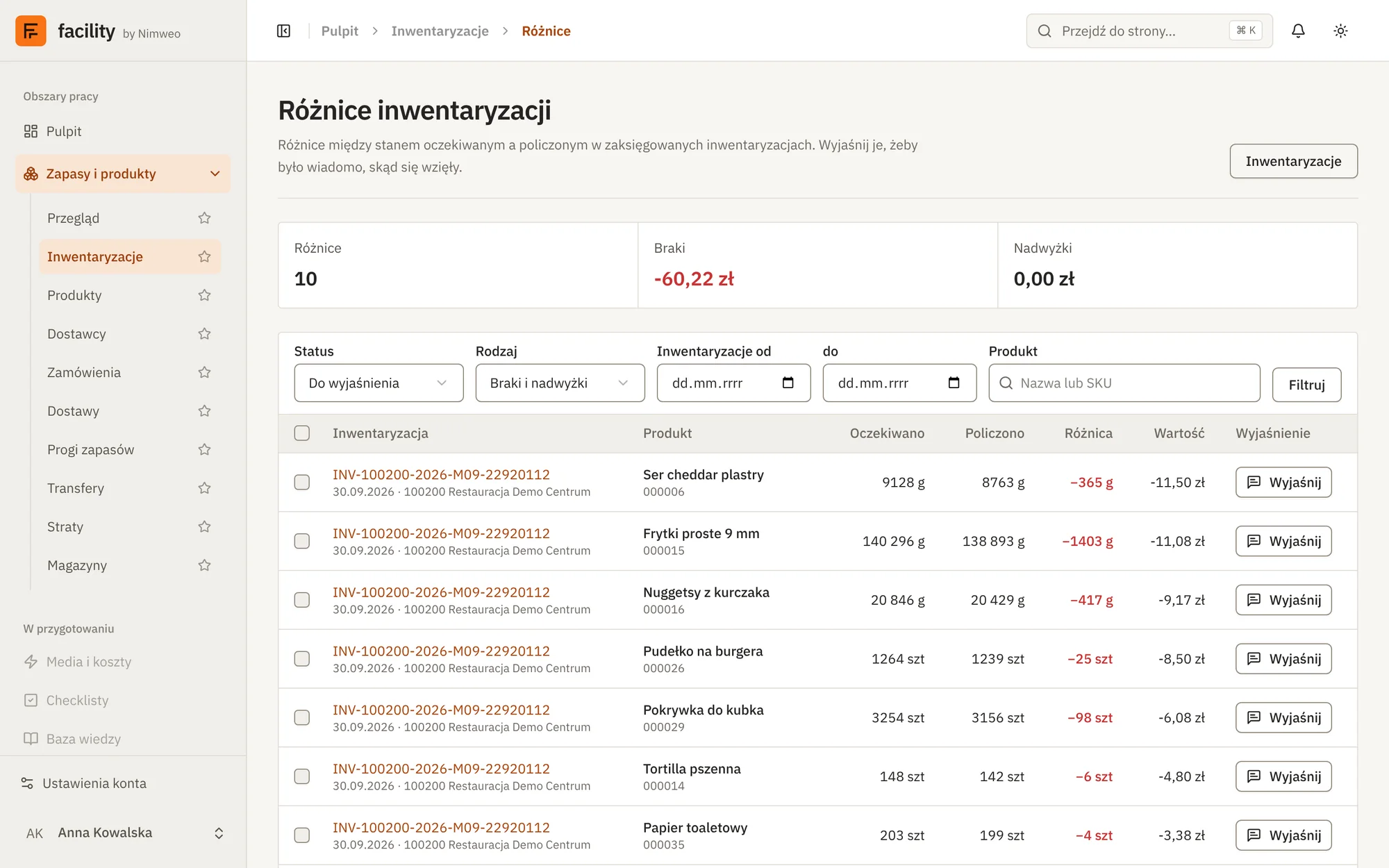
The stocktaking sheet guides the count warehouse by warehouse and category by category, while the system shows progress as you go. After posting, differences against the system stock go to settlement.
- Count sheet split by warehouse and category
- Counting progress visible as it happens
- Stocktaking templates and schedule
- Difference report with explanations of shortages and surpluses
Every delivery in stock the same day.
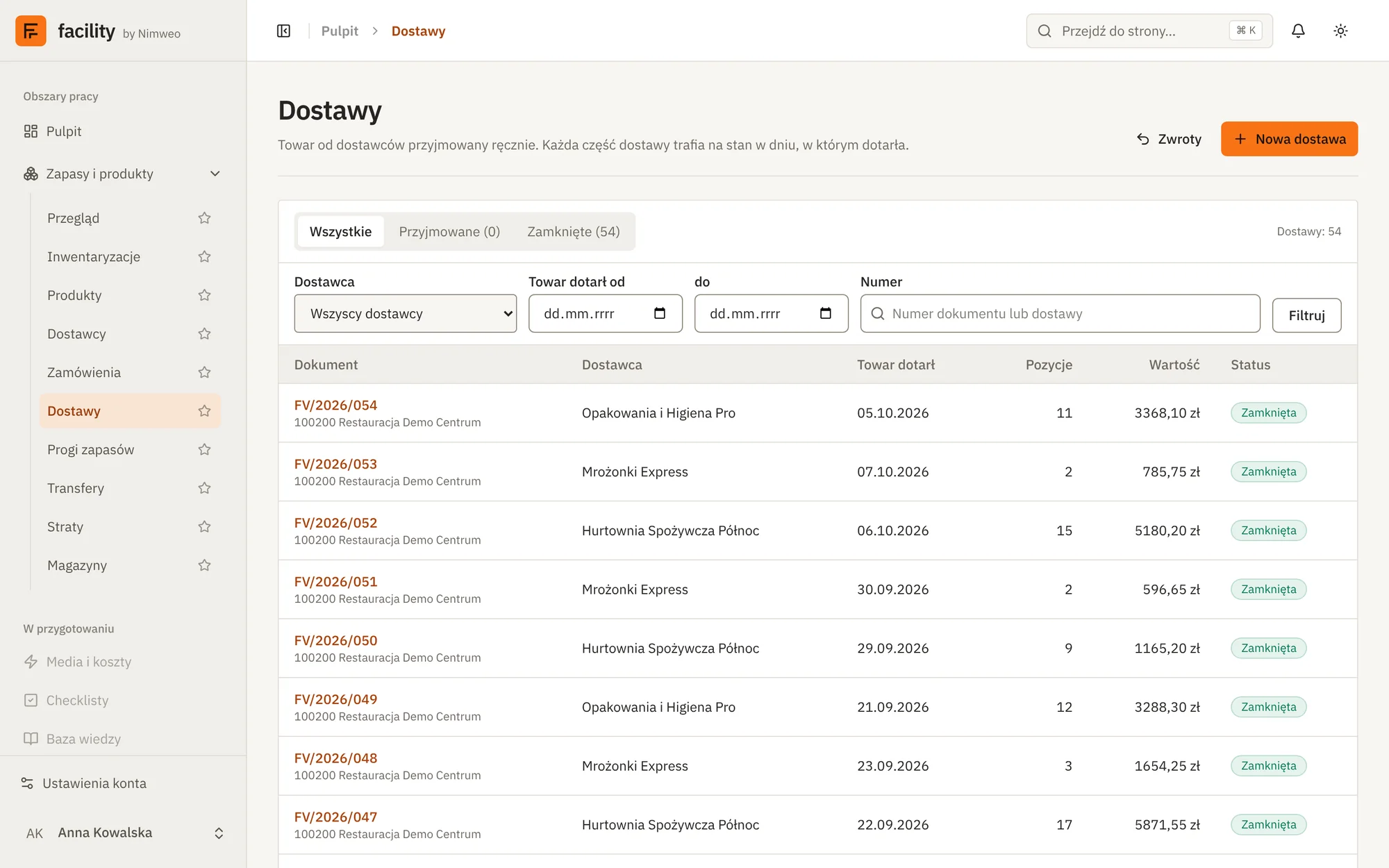
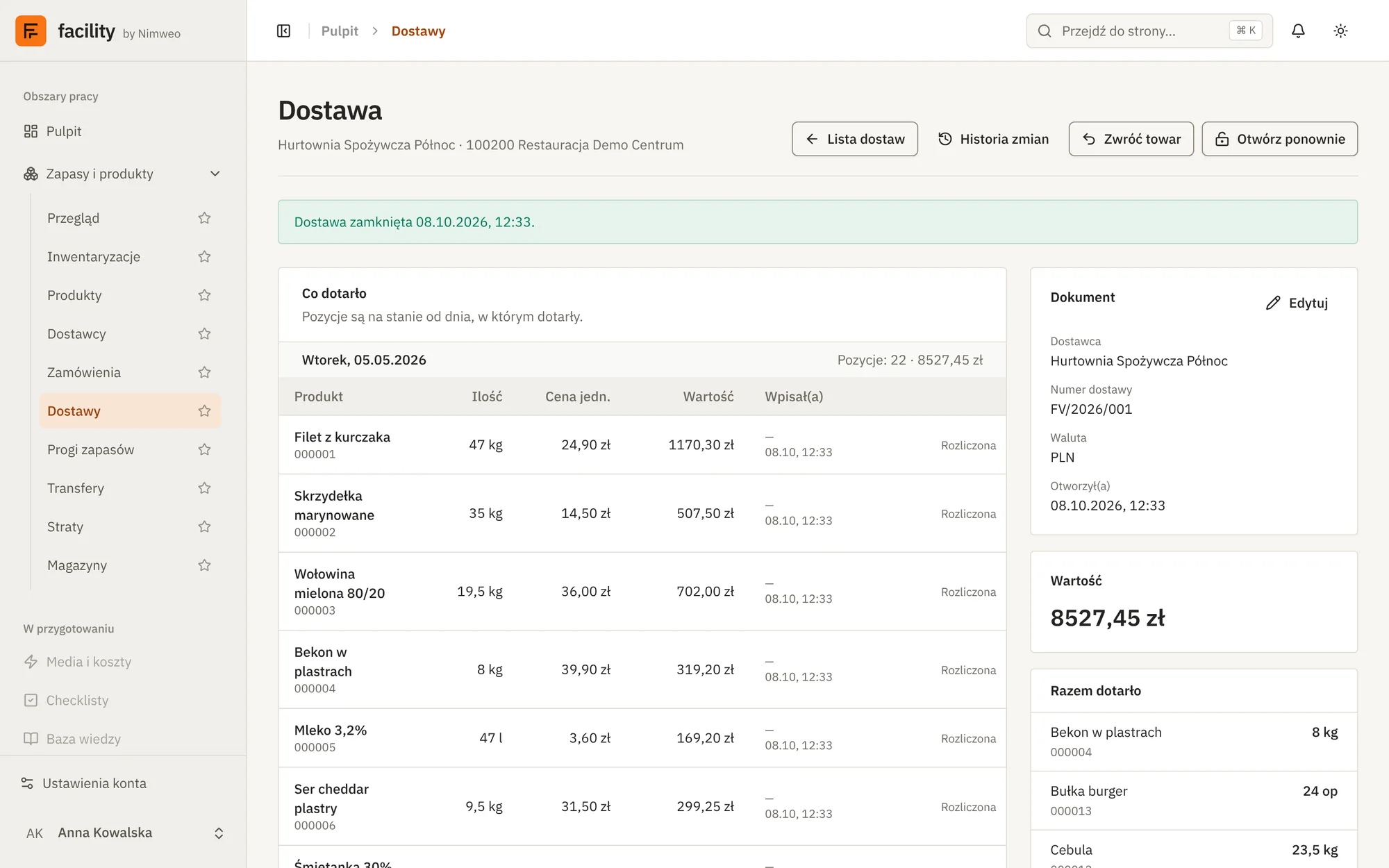
Deliveries enter stock on the day the goods are received. The document holds items, units, prices and value, and confirming it updates the warehouse stock.
- Delivery list with filters: supplier, dates, document number
- Items with quantity, unit price and value
- Confirming a delivery updates warehouse stock
- Change history of the document
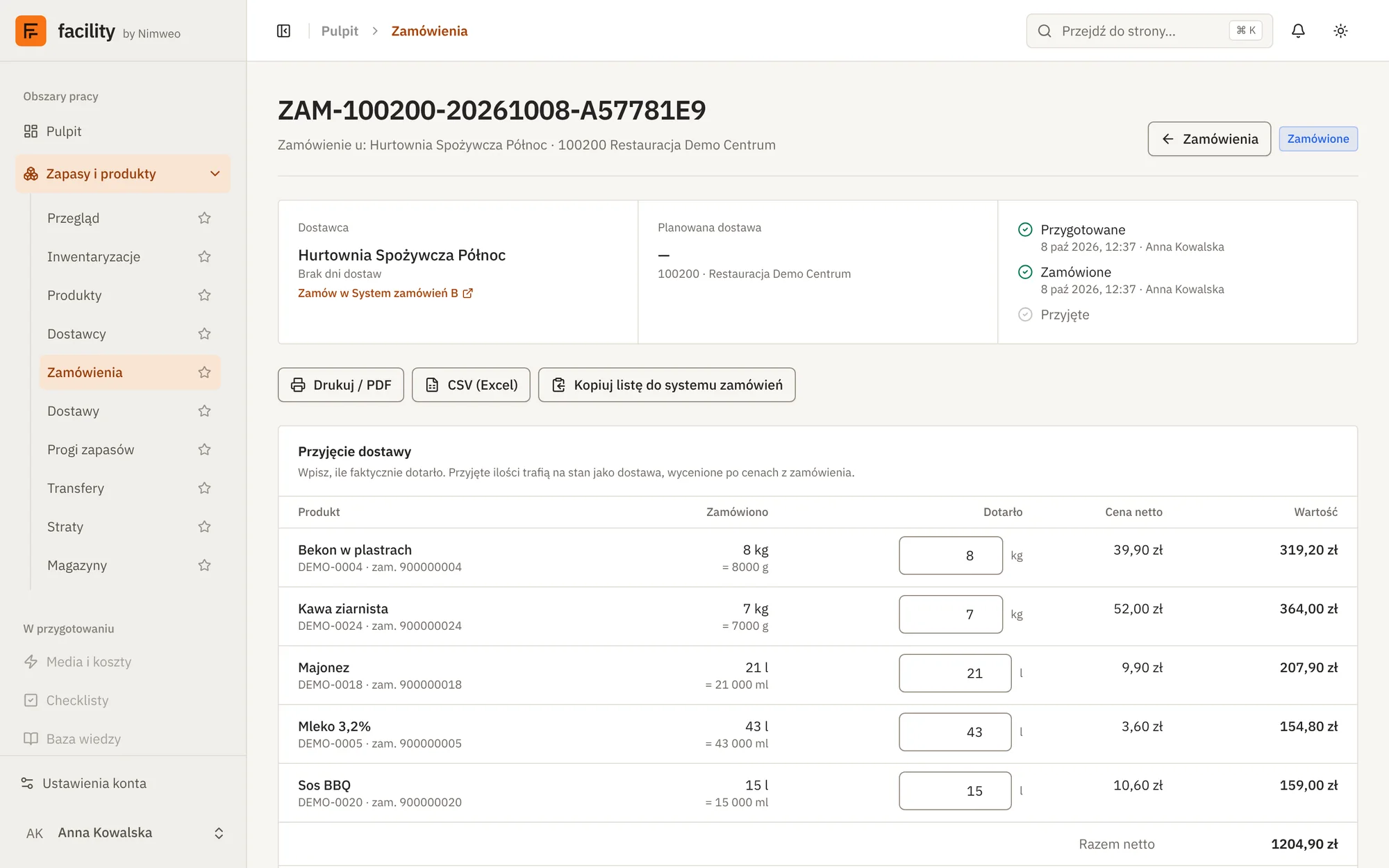
Order exactly what you need.
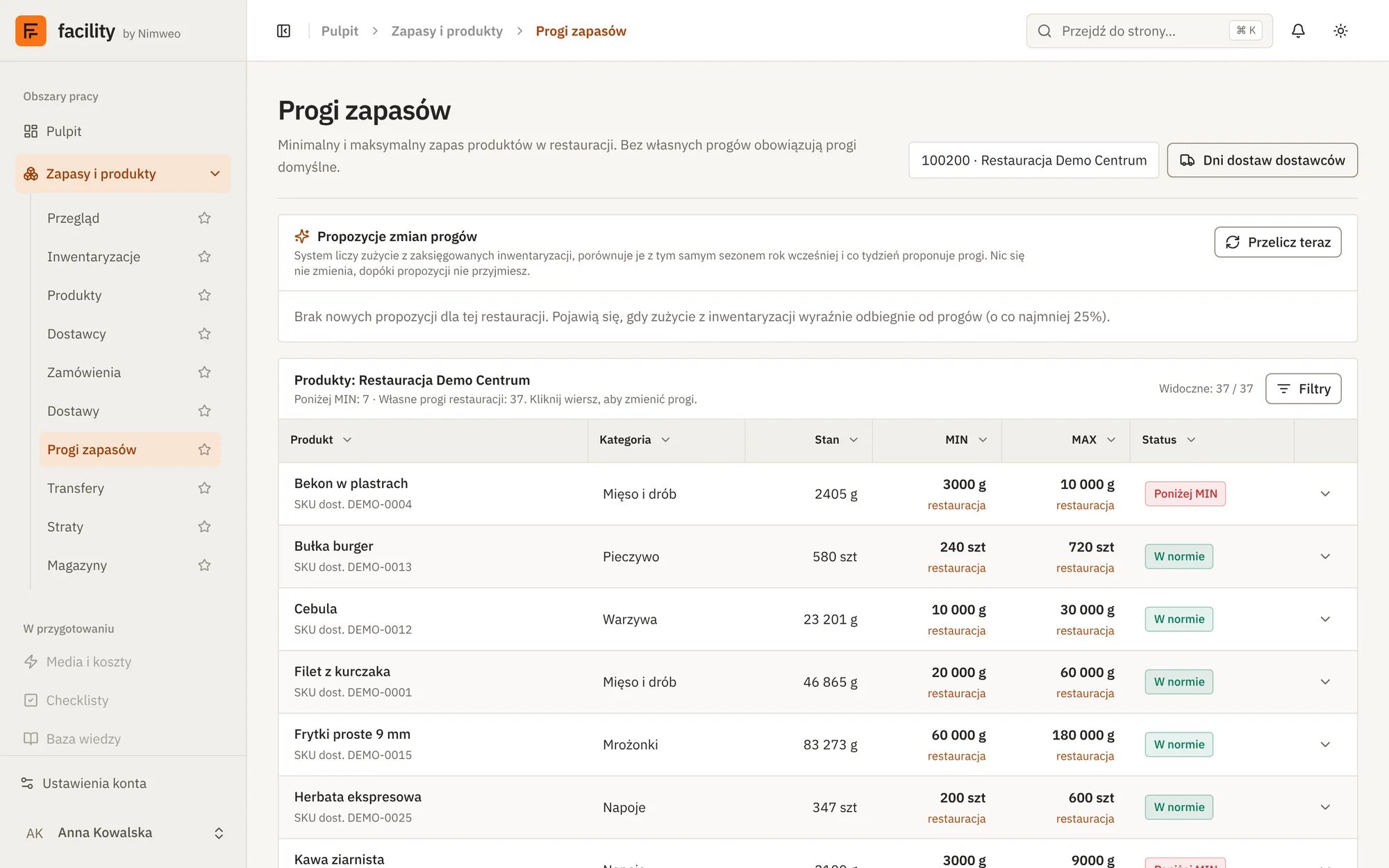
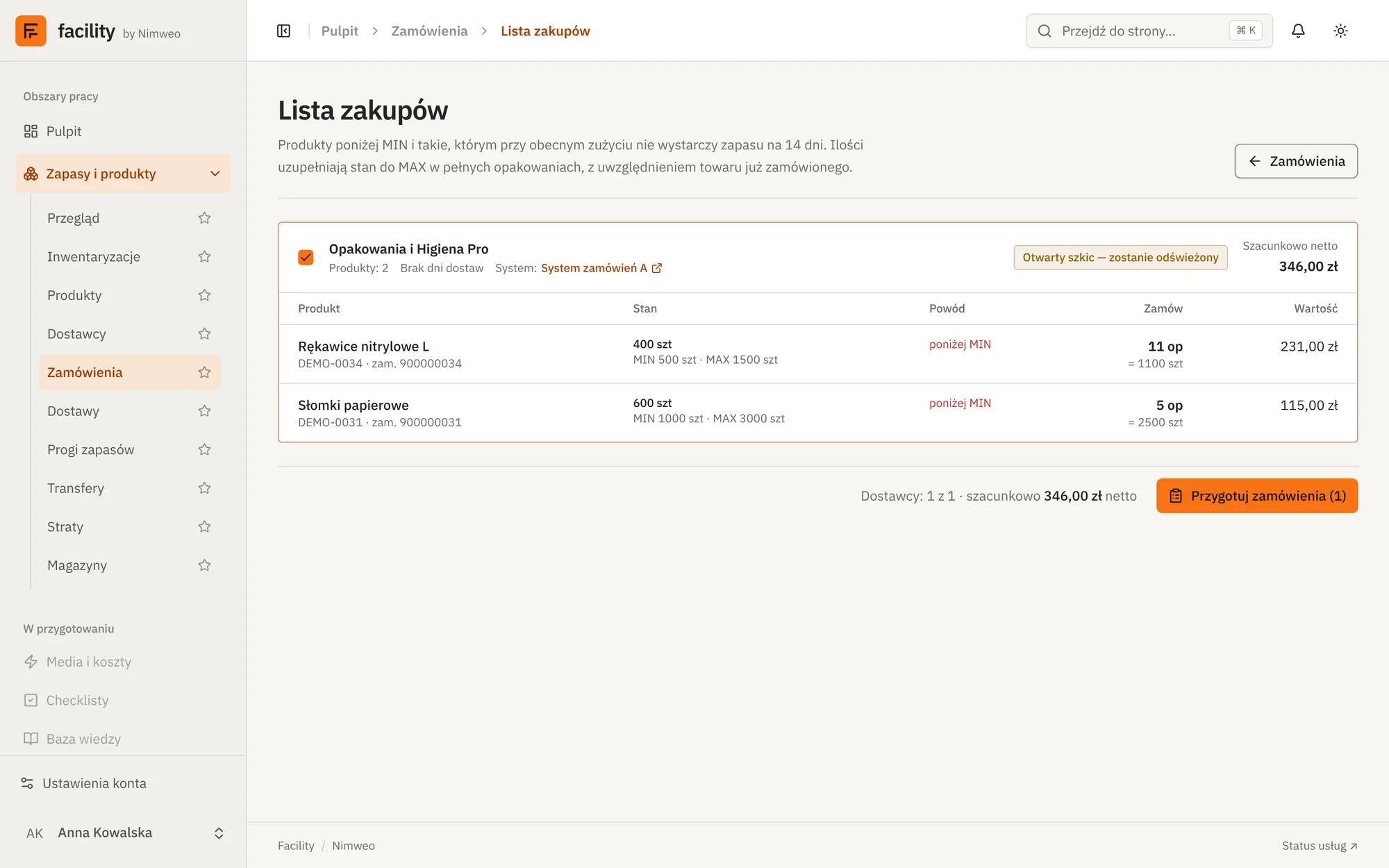
MIN and MAX thresholds decide when and how much to order. The purchase list collects products below the threshold, accounts for goods already ordered and prepares supplier orders in full packs.
- MIN/MAX thresholds for every product in a venue
- Threshold change proposals based on consumption
- Purchase list in full packs, accounting for goods already ordered
- Supplier orders with PDF print and Excel export
One source of truth for goods.
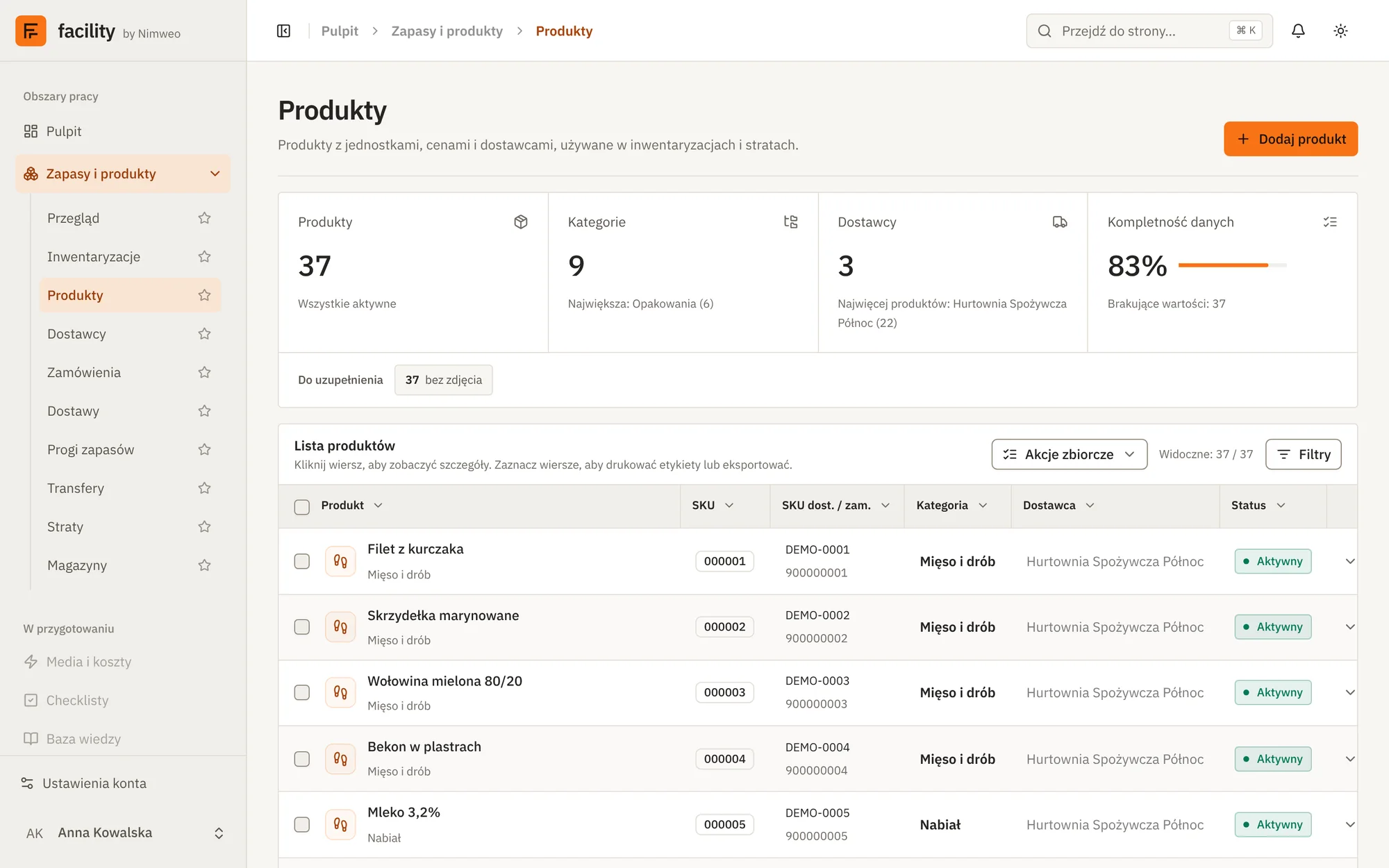
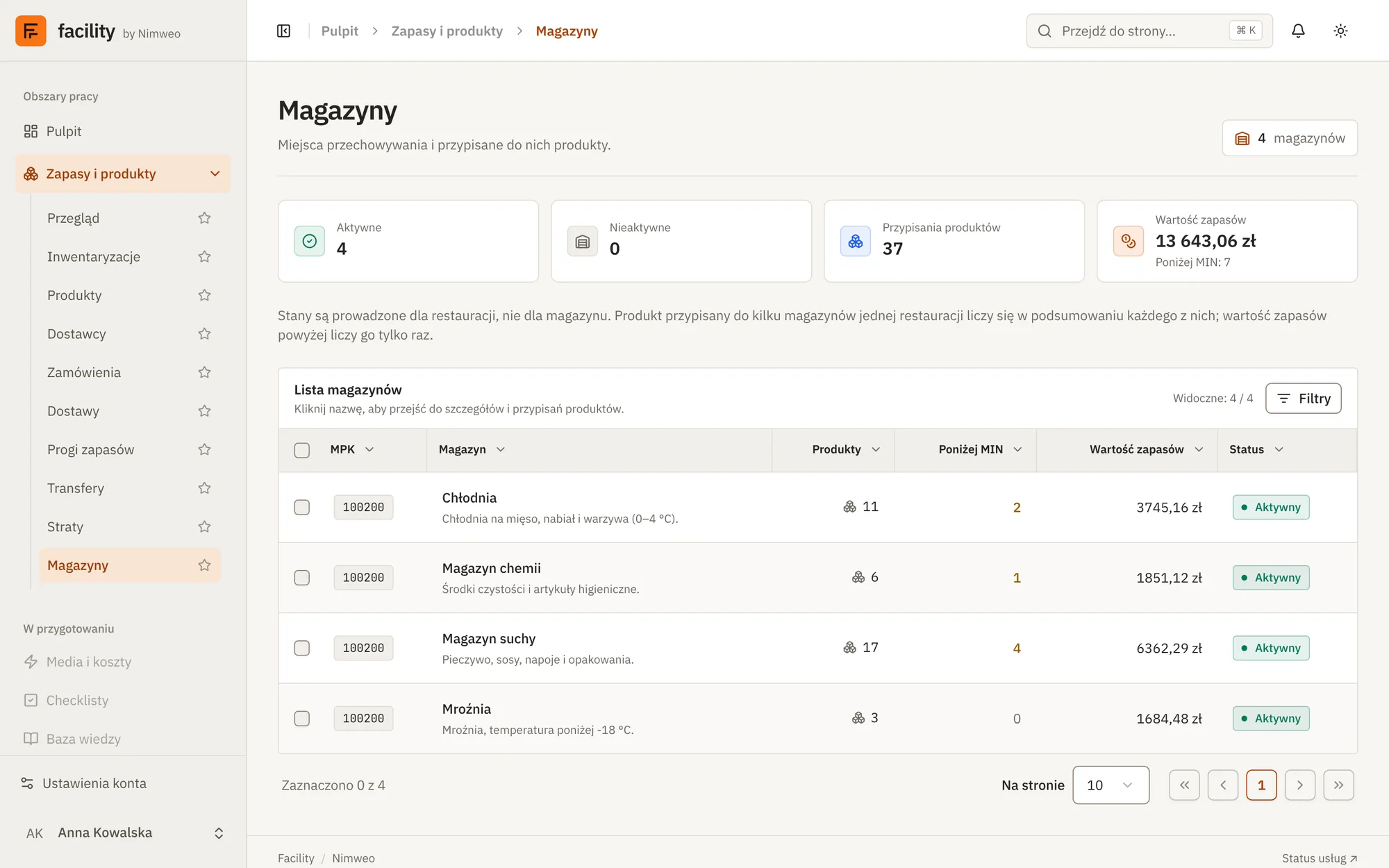
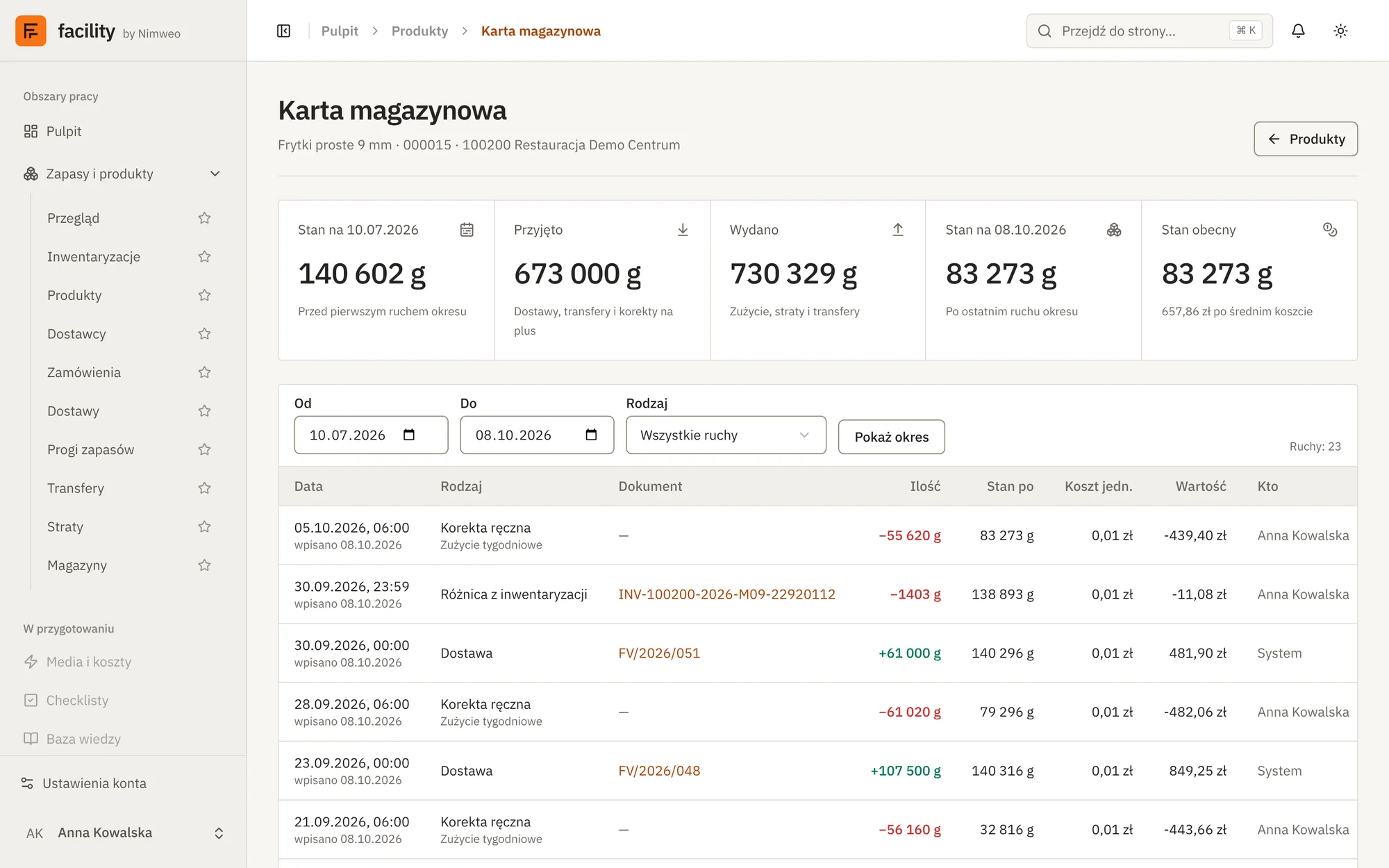
A product catalogue with units and conversions, linked to suppliers, warehouses and the stock card. Every movement of goods is recorded and can be traced.
- Products, categories, units and conversions
- Warehouses with stock value and thresholds
- Stock card with the full history of movements
- Suppliers linked to products
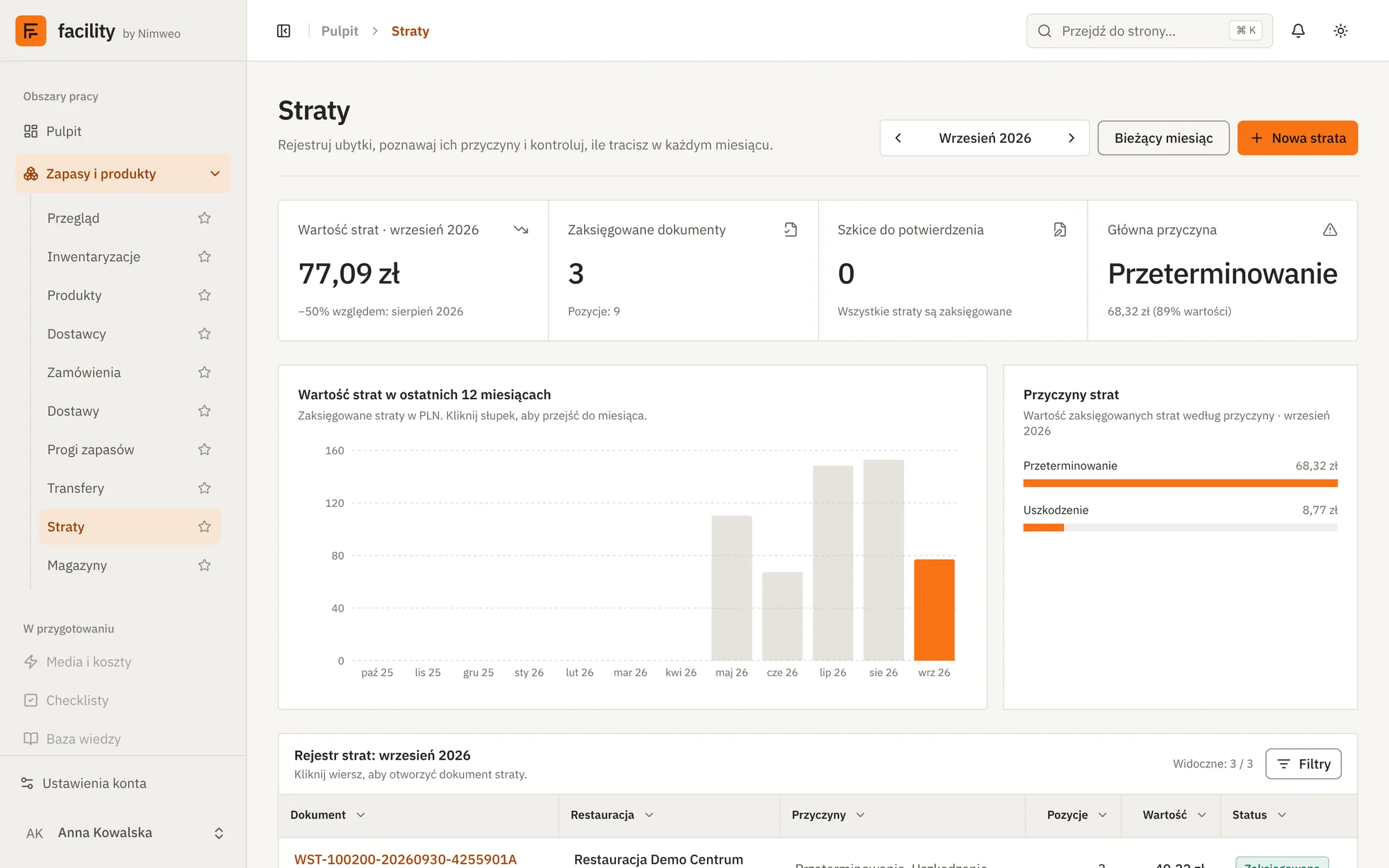
See how much you lose.
Record losses, learn their causes and keep an eye on the value of waste every month. A posted waste document takes the goods off stock.
- Waste with a reason: expiry, damage and others
- Value of waste per month and over 12 months
- Drafts confirmed before posting
- Costliest waste visible on the stock overview
06Modules
What we are building now and what is on the way.
Facility grows module by module. The first one is in development and the next ones will follow it.
Stock and products
Stocktaking, products and suppliers, orders, deliveries, thresholds, transfers, waste, warehouses.
In developmentRoles and permissions
Access to features depends on the user’s role.
In developmentUtilities and costs
Energy consumption and utility costs of a venue.
In preparationEquipment
Dishwashers and other equipment in a venue.
In preparationChecklists
Recurring checklists for shifts and venues.
In preparationKnowledge base
Documentation and instructions for the team.
In preparationUniforms
Register and issuing of work clothing.
In preparationDocument recognition
OCR of delivery notes (WZ) and invoices.
In preparationReports
Summaries and reports in one place.
In preparation
07Parameters
Parameters
- Status
- Coming soon
- Model
- multi-tenant
- Sign-in
- Microsoft account (Entra ID) or e-mail and password
- Interface
- browser · Polish language
- Address
- facility.nimweo.dev
Nimweo products are coming soon.
09Availability
Nimweo products are coming soon.
We are working on our first products. Write to us and we will let you know when they launch.
- Status
- coming soon
- Launch notice
- by e-mail, on request